For people who'd rather talk than type
The voice journal
you can search.
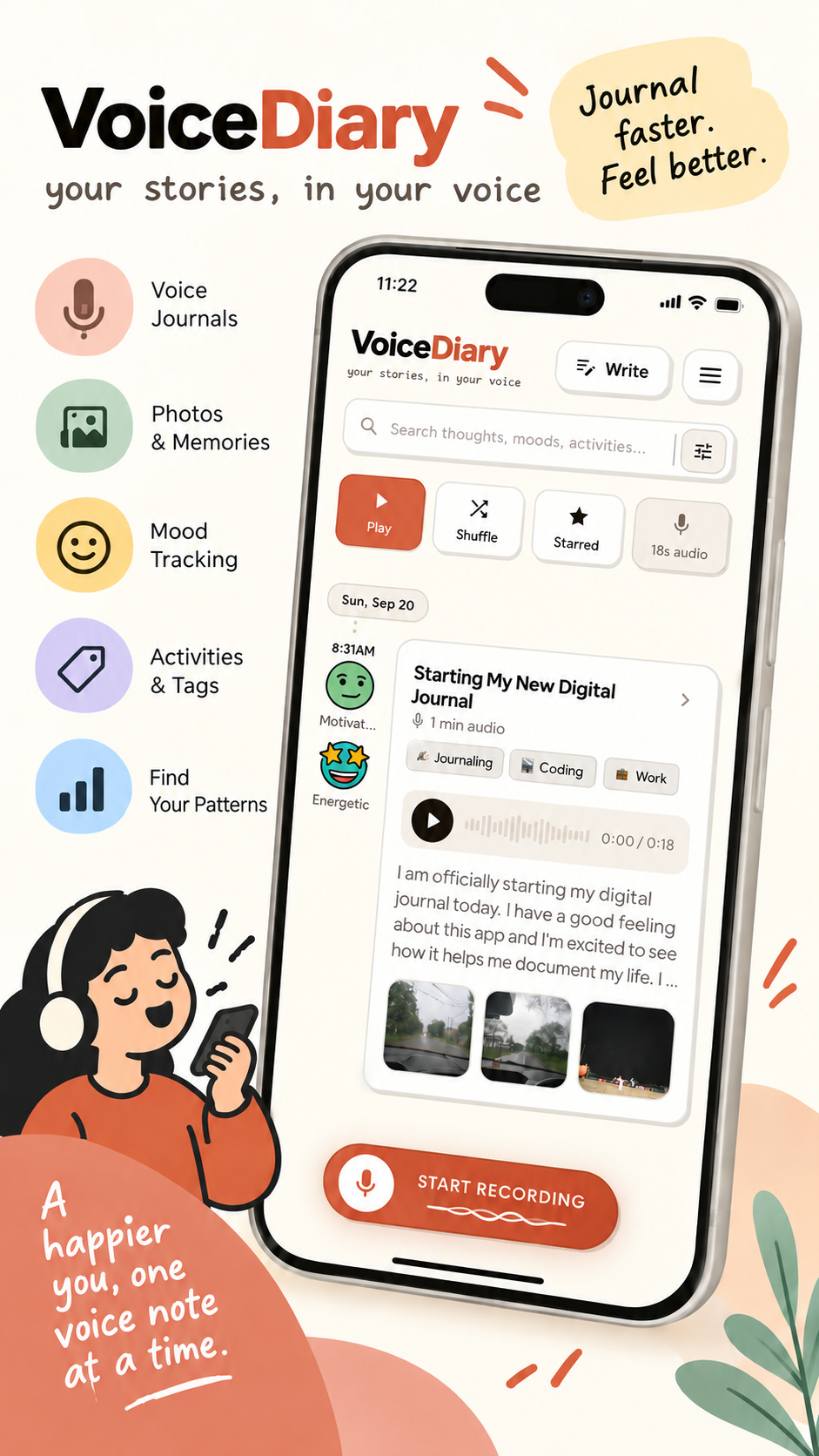
Talk about your day, and find anything you said months later. VoiceDiary turns every entry into a word-for-word transcript you can search, and keeps your original audio right beside the text.
GET IT ON
Google Play
Download on the
App Store Coming Soon
No ads • Delete your data anytime
Track
your mood
your mood
Save
locations
locations
Add
photos
photos
Voice
journal
journal
See your
journey
journey
Compare
VoiceDiary vs AudioPen and Rosebud
AudioPen is built for work notes. Rosebud is built for AI-guided journaling. VoiceDiary gives you work notes and a personal journal in one app, keeps your recordings, and costs $1.99 a month.
VoiceDiary vs AudioPen
AudioPen turns voice notes into polished writing for work. VoiceDiary's Notes tab does that too, and VoiceDiary adds a full personal journal on top.

VoiceDiary Plus
$1.99/month
Or $19.99/year. Free to download, with 30 minutes of transcription included
AudioPen Prime
$99/year
Or $33 for 3 months. No monthly plan
| Feature |
VoiceDiary
|
AudioPen
|
|---|---|---|
| Price | $1.99 a month, or $19.99 a year | $99 a year, or $33 for 3 months |
| Personal journal | Yes. Mood, activities, photos, places, stats and a graph of the people and topics in your life | No. It is built for notes and drafts |
| Work notes and rewrites | Yes, in the Notes tab: email, meeting notes, summary, letter, ideas, or your own prompt | Yes, its main feature, with a style library and custom styles |
| Transcription accuracy | A newer, more accurate speech model | Standard transcription, with an offline option |
| Live transcript while you talk | Yes. Words appear as you speak | No. Text appears after you stop recording |
| Speaker identification | Yes. Each speaker is labelled in the transcript | No |
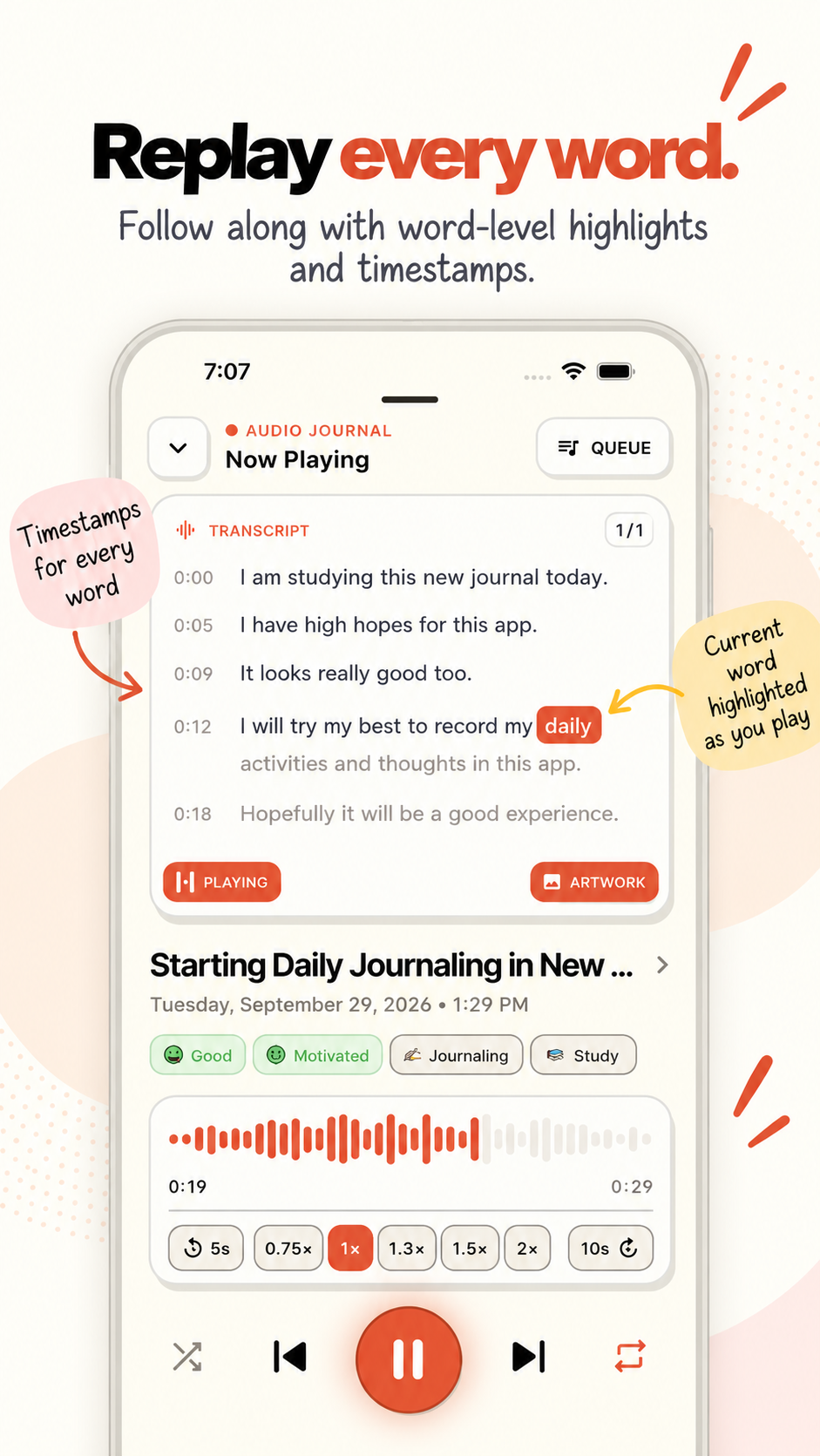
| Word-by-word timestamps | Yes. Each word lights up as the audio plays | No |
| Your original audio | Kept with every entry. Replay it at 0.5x to 2x | Deleted from its servers within 48 hours |
| Recording length | No length limit. Talk for as long as you like | Up to 3 minutes free, 15 minutes on Prime |
| Platforms | Android. iOS is in development | iPhone, iPad, Android, Mac, Windows, web and a Chrome extension |
Pick VoiceDiary if
You want work notes and a personal journal in one app, you want every recording kept with a word-by-word transcript, and you'd rather pay $19.99 a year than $99.
Pick AudioPen if
You mainly need polished drafts in custom styles, you want to voice-type into other apps, or you need it on iPhone, Mac or Windows today.
VoiceDiary vs Rosebud
Rosebud is an AI journal that replies to you and coaches you. VoiceDiary is a voice journal you can search, and it keeps your recordings.
VoiceDiary Plus
$1.99/month
Or $19.99/year. Free to download, with 30 minutes of transcription included

Rosebud Bloom
$12.99/month
Or $107.99/year, after a free trial
| Feature |
VoiceDiary
|
Rosebud
|
|---|---|---|
| Price | $1.99 for Plus, or $19.99 a year | $12.99 for Bloom, or $107.99 a year |
| Free plan | Yes, with 30 minutes of transcription to start | Free trial only. Rosebud retired its free plan on Sept 30, 2026 |
| Built for | Talking about your day and finding it again later | Guided journaling with an AI that asks follow-up questions |
| Your original audio | Kept with every entry. Replay it at 0.5x to 2x | Discarded after transcription, per Rosebud's privacy policy |
| Finding an old entry | Type any word you said and see every entry that contains it | Ask Rosebud a question about your journal. Its help center says it recalls topics better than exact dates |
| Transcription allowance | About 500 minutes a month on Plus | Shares a weekly AI usage limit with chats, reflections and reports |
| AI insights | Summaries, mood, action items and a graph of the people and topics you mention | Entry reflections, weekly reports, long-term memory and personalized prompts |
| Platforms | Android. iOS is in development | iOS, Android, Mac and web |
Pick VoiceDiary if
You'd rather talk than type, you want your recordings kept, and you want to search for something you said months ago. It costs about a sixth of Rosebud's monthly price.
Pick Rosebud if
You want an AI to talk your feelings through with, you prefer guided prompts, or you need it on iPhone or the web today.
Competitor details are from audiopen.ai, rosebud.app and help.rosebud.app, checked November 6, 2026. Their prices are web prices in US dollars and may differ in app stores and other countries. AudioPen and Rosebud are trademarks of their owners. VoiceDiary is not affiliated with either.
Visual App Showcase
Experience the Power of Voice
Explore how VoiceDiary turns spontaneous vocal reflections into a lifetime of organized, structured wisdom. Click any card to expand.
Core Capabilities
Talk now. Search it later.
Speaking gets your thoughts out before you can edit them. Search gets them back when you need them.
Search every word you said
Type a word or phrase and VoiceDiary finds the entries where you said it, across titles, summaries and full transcripts. How search works.
One-tap voice capture
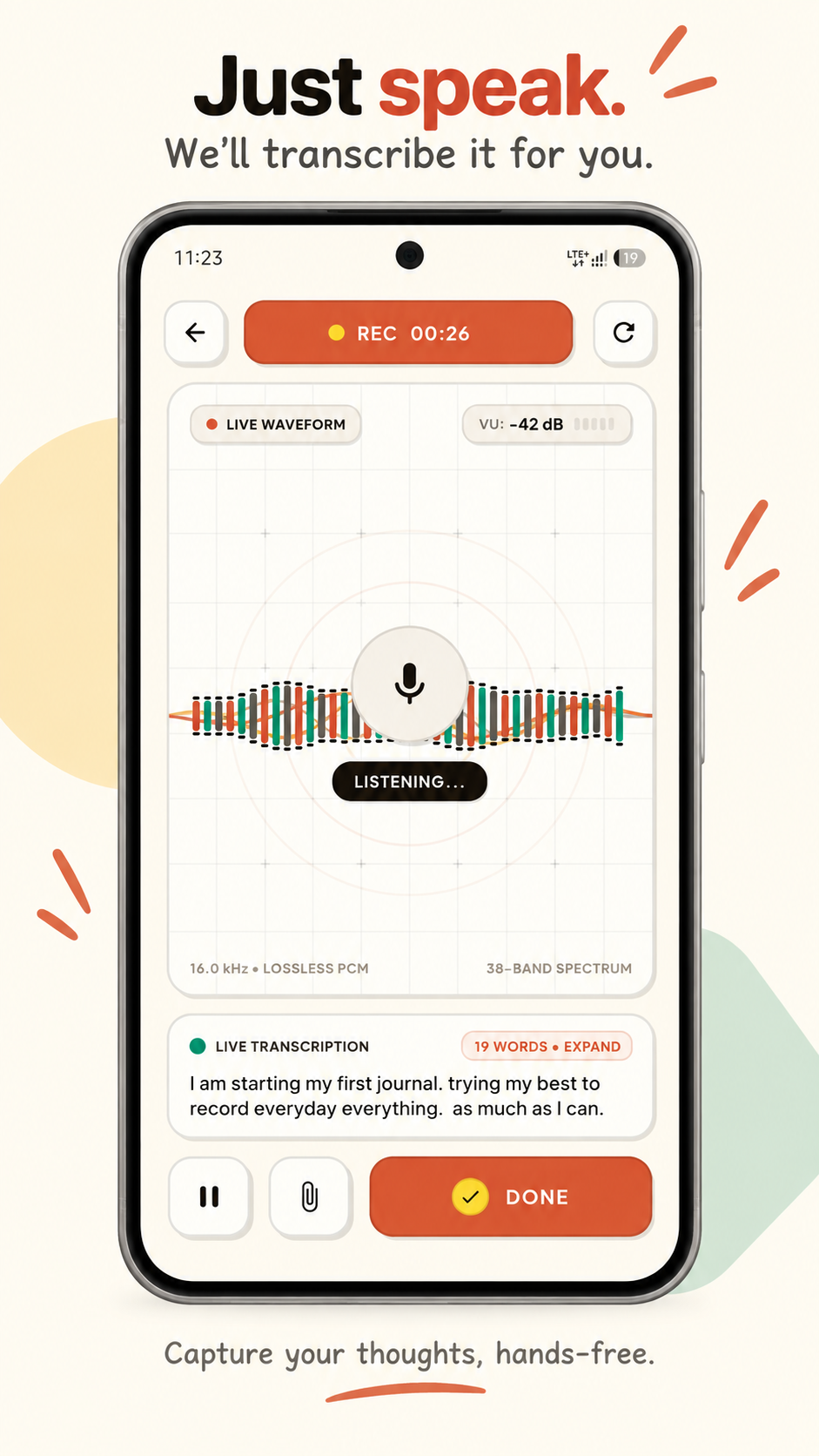
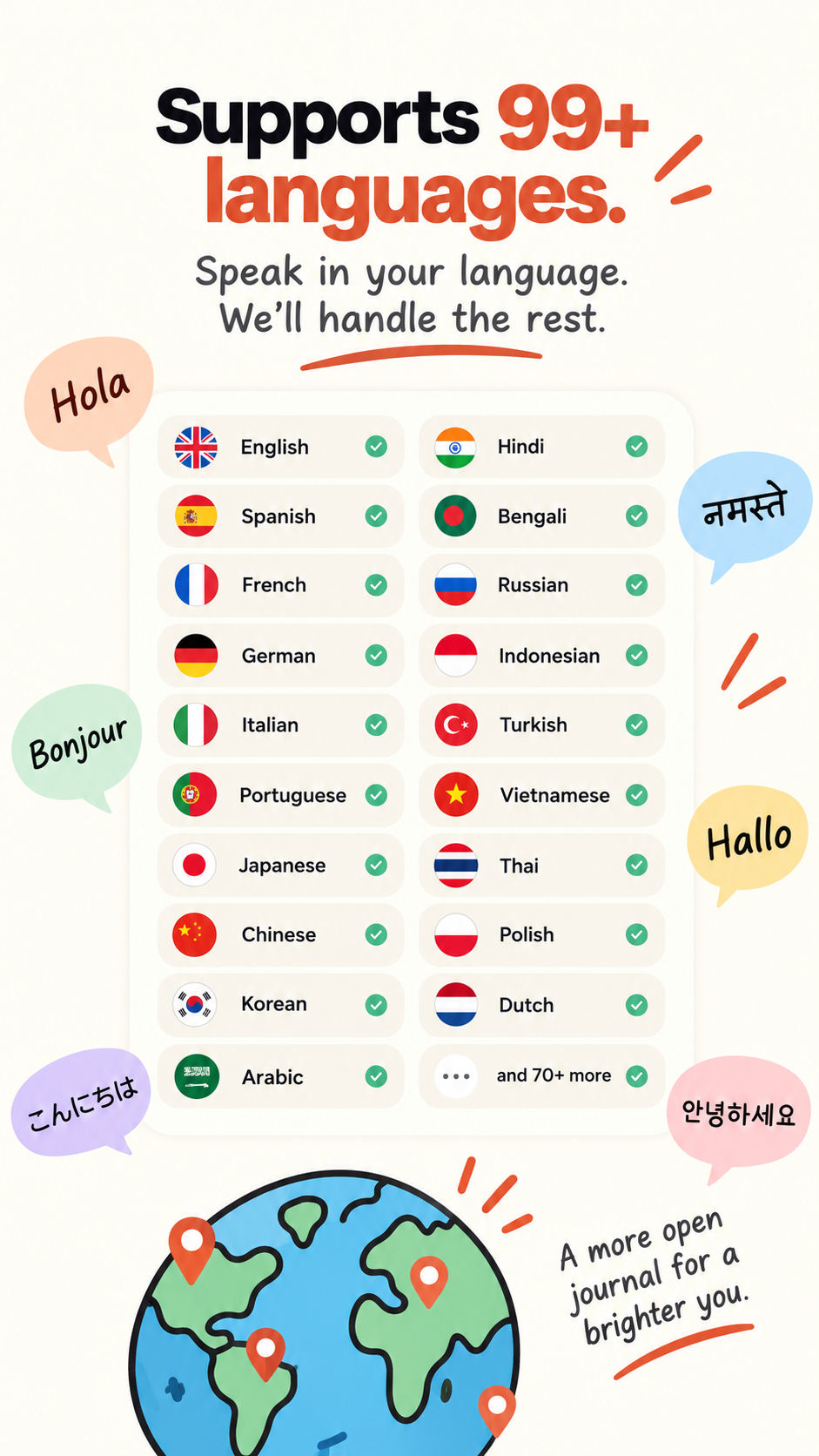
Record on a walk, in the car, or before bed. Speak for 30 seconds or 30 minutes, with live transcription and support for multiple languages.
Transcripts & AI summaries
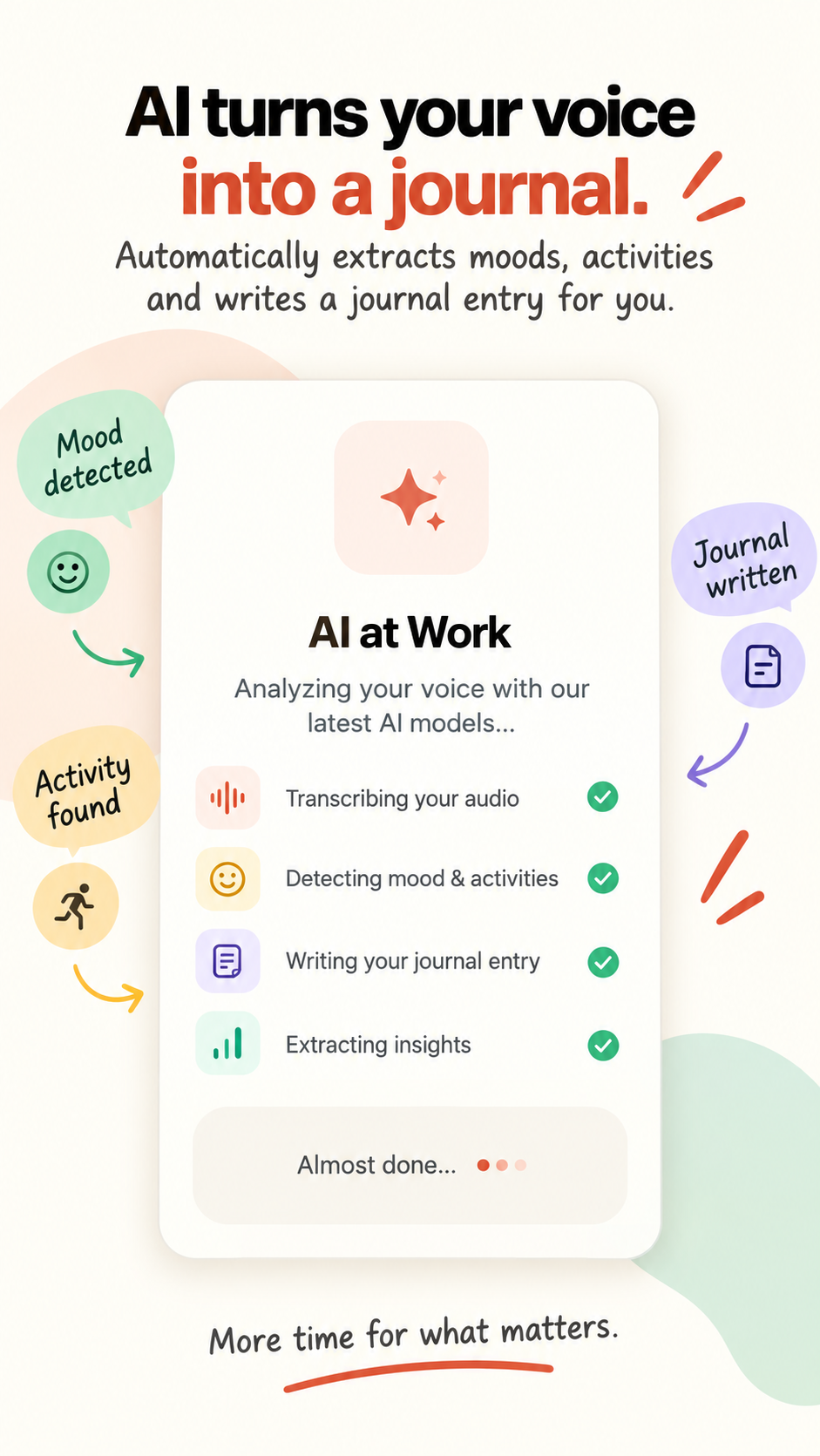
Every entry gets a word-for-word transcript, plus an AI-written summary, mood cues and action items so long ramblings are easy to scan.
Interactive Knowledge Graph
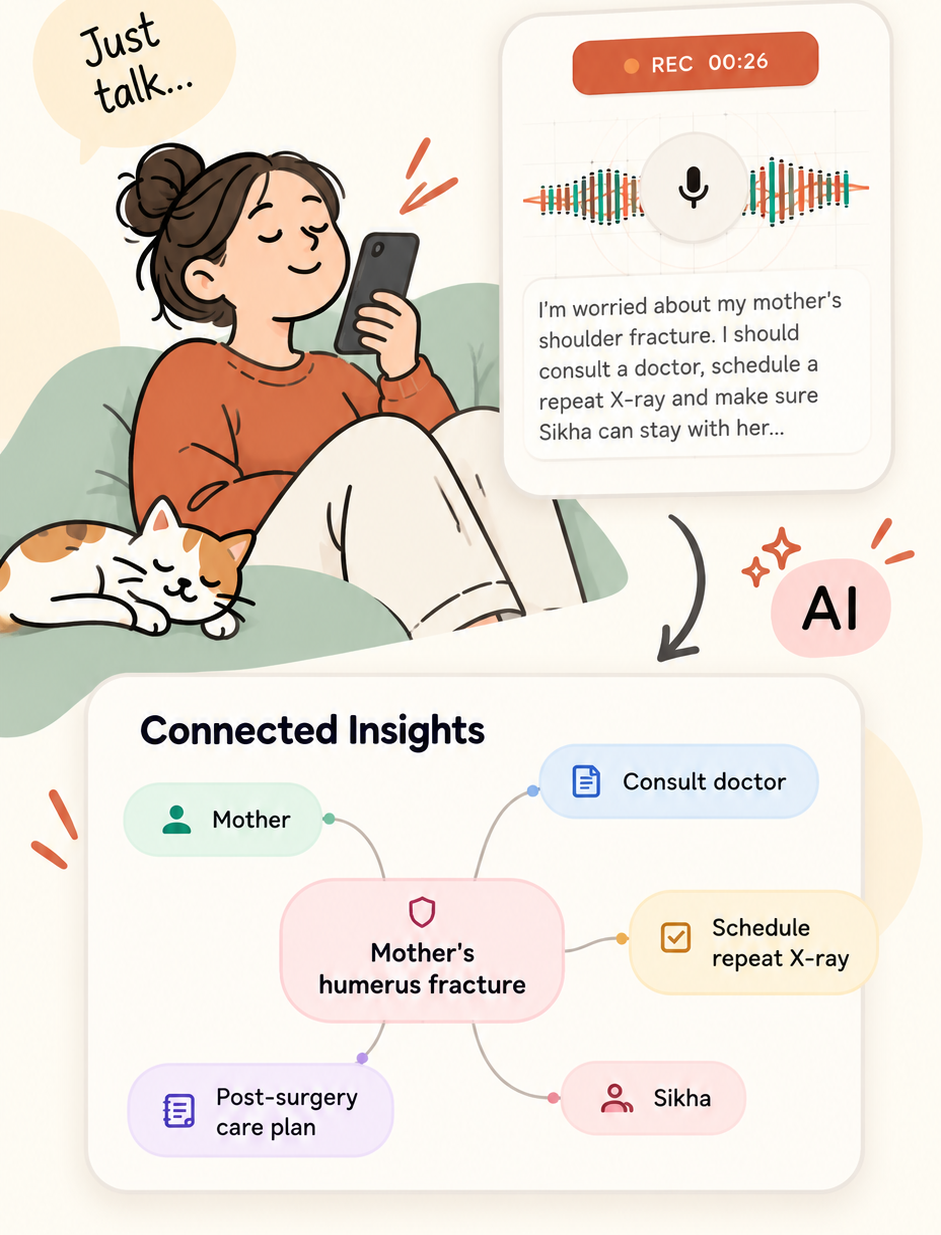
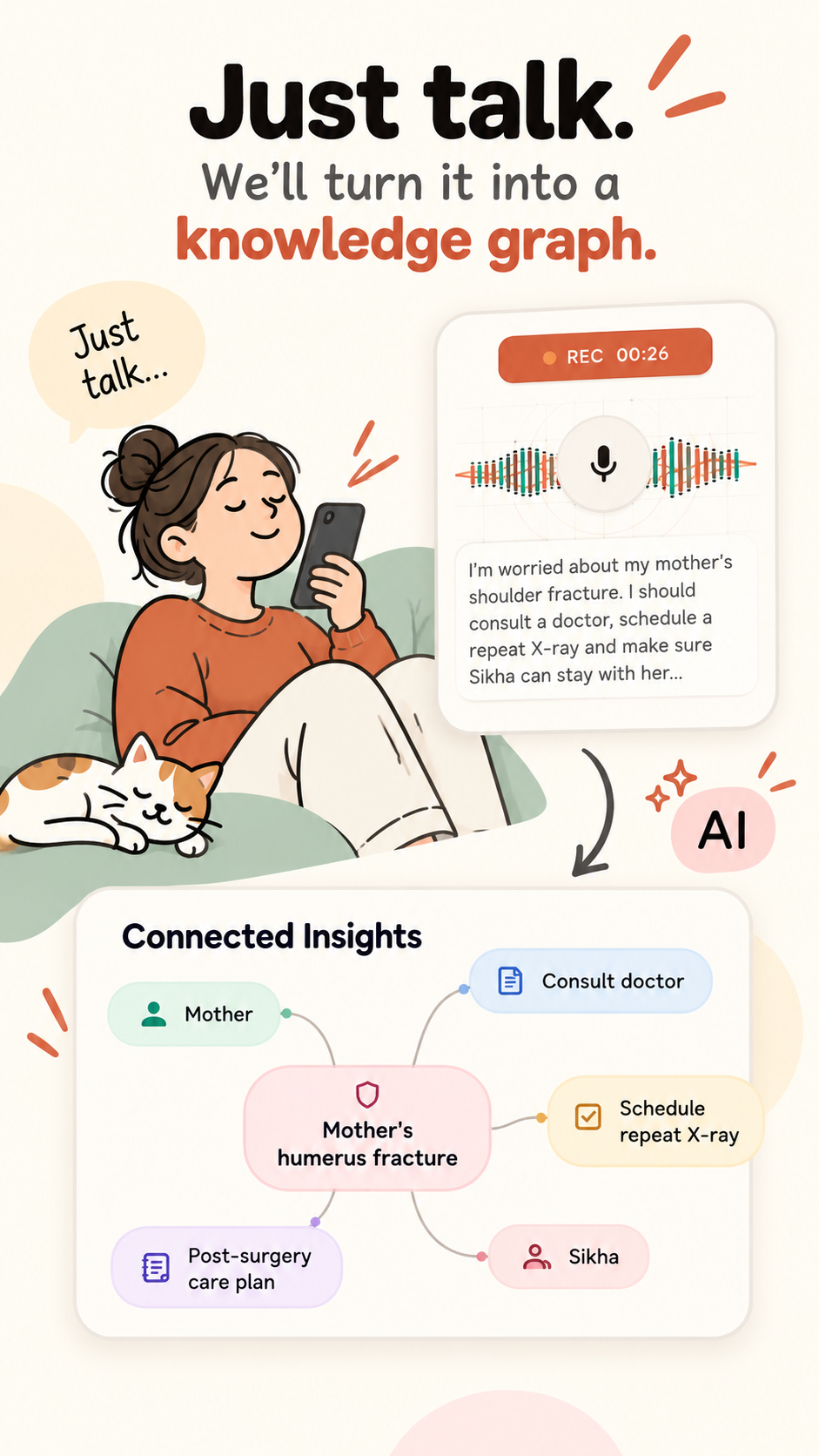
VoiceDiary correlates repeated names, goals, habits, and places across your entries, forming an interactive network of your memories.
Private, with no ads
Connections are encrypted in transit, entries sync to your private account space on Google Firebase, and there are no ads. Your entries are not used to train AI models. Delete your data anytime.
Replay it in your own voice
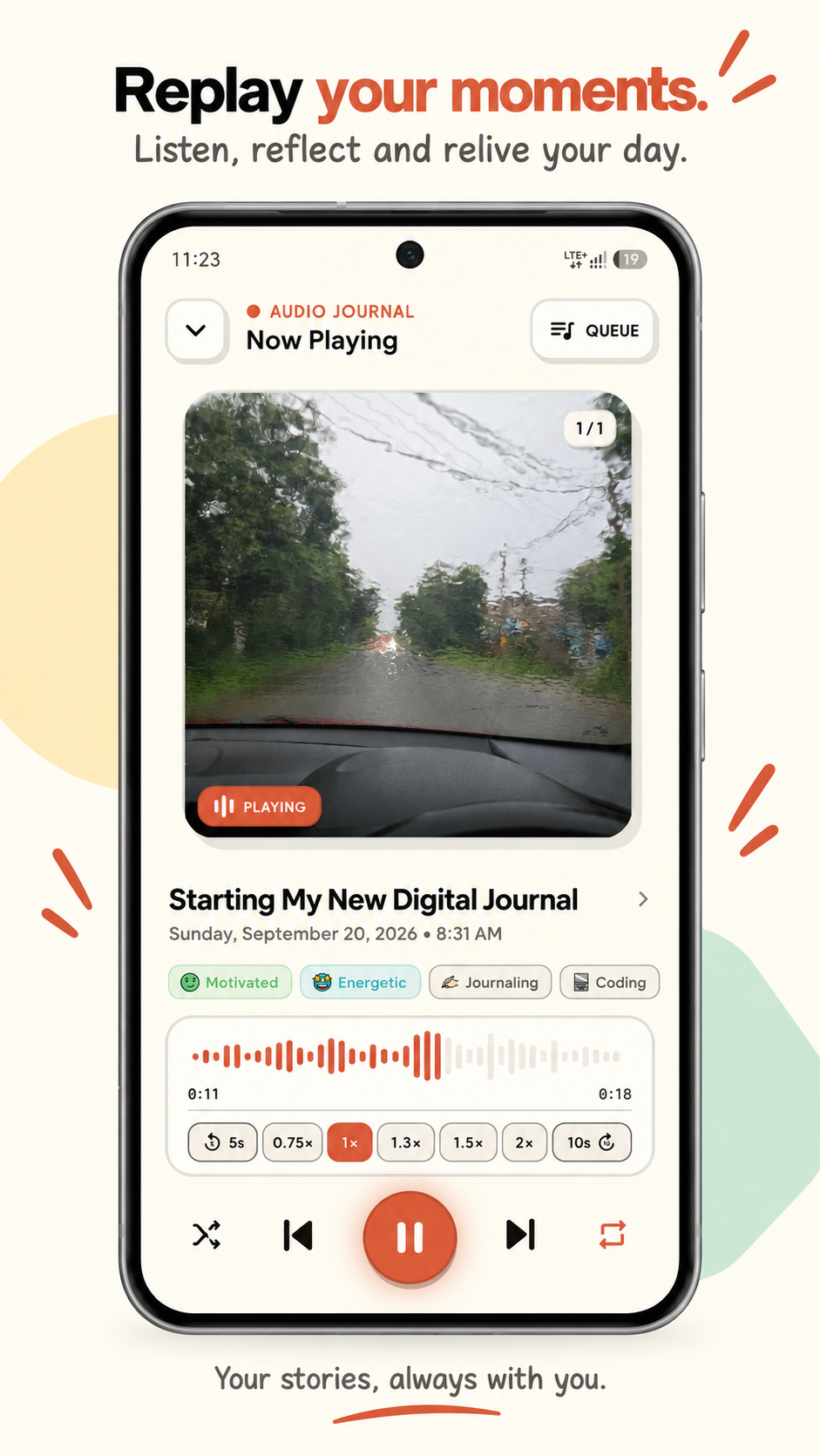
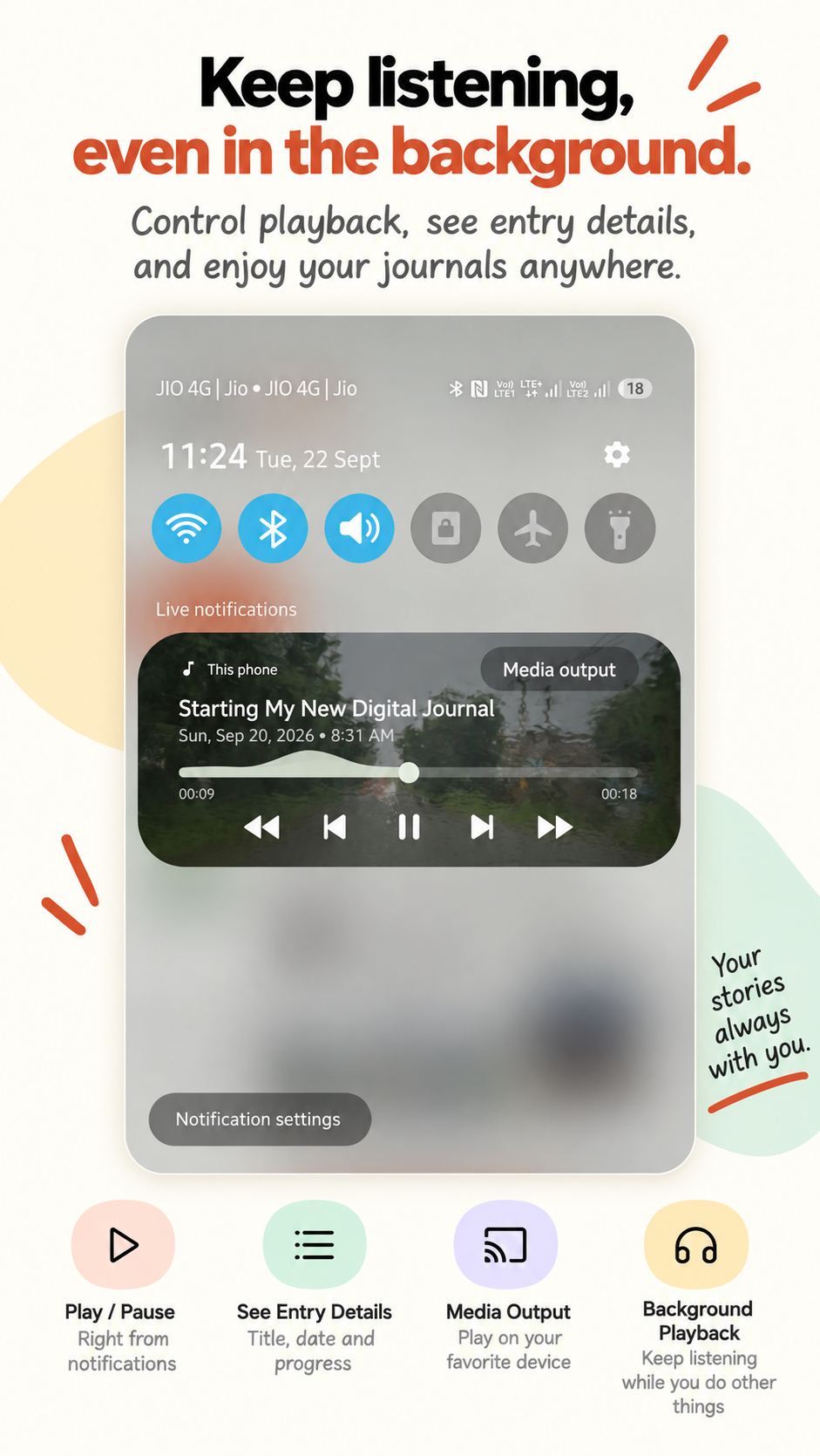
Your original audio is kept beside the transcript. Play it back at 0.5x to 2.0x, with background and lock-screen controls.
Three Simple Steps
How VoiceDiary Transforms Your Routine
No writer's block. No blinking cursor intimidation. Just speak.
1
Tap Record & Speak
Open VoiceDiary anytime inspiration or stress hits. Speak for 30 seconds or 30 minutes without typing friction.
2
It Transcribes & Summarizes
Your speech becomes a word-for-word transcript. AI adds a summary, mood cues and action items so each entry is easy to scan.
3
Search & Replay
Type any word you said to find the entry, filter by mood or activity, and play back the original audio. Explore the knowledge graph to see recurring people and topics.
Got Questions?
Frequently Asked Questions
Everything you need to know about VoiceDiary, AI transcription, and privacy.
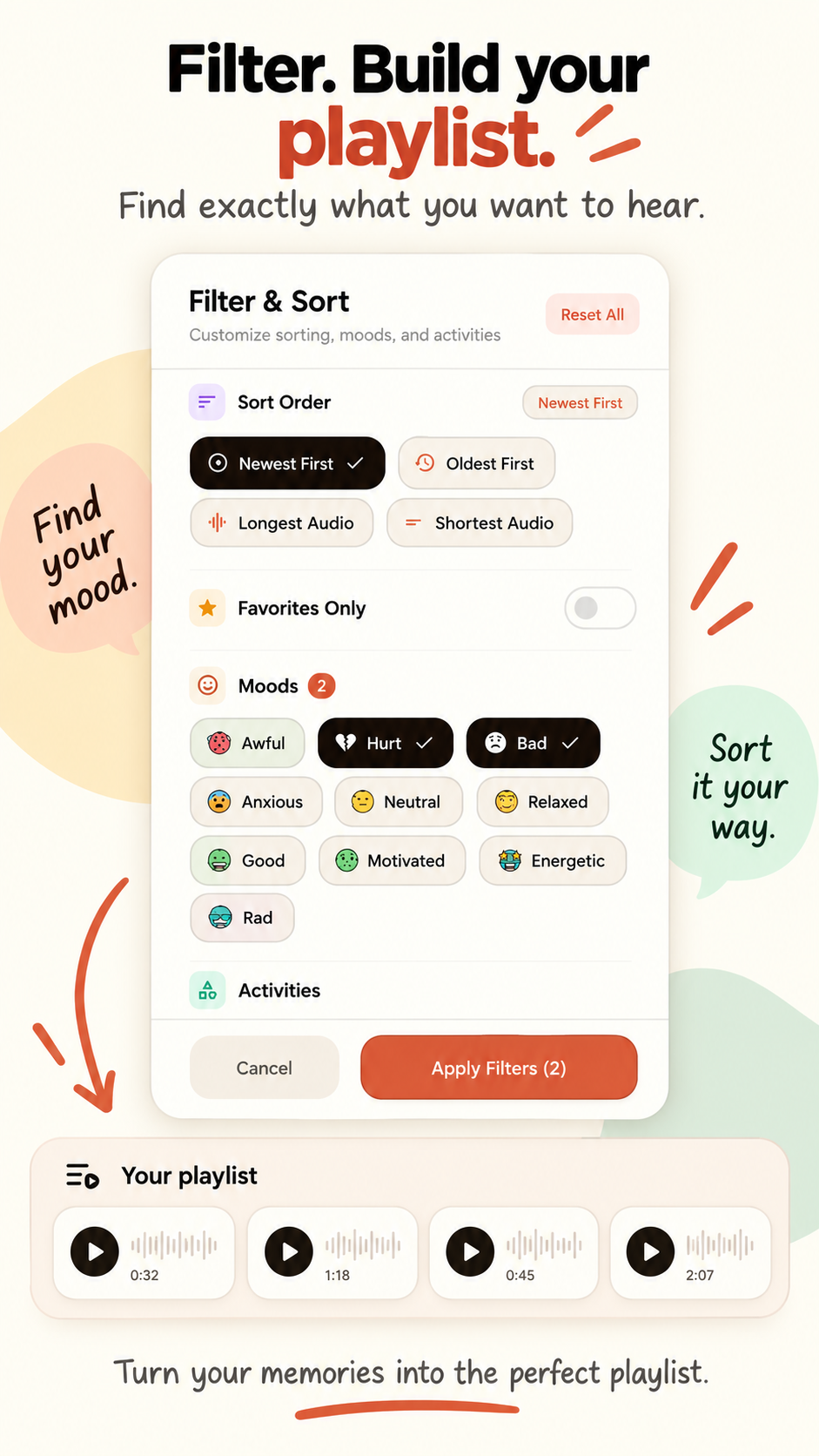
Type any word or phrase into the search bar on the home screen. VoiceDiary looks through entry titles, summaries and the full transcript of what you said, and shows every entry that matches. You can also sort by newest, oldest, longest or shortest audio, and filter by mood, activity or favorites. Search runs in the app, on the entries stored on your device. See how search works.
People speak on average 150 words per minute, but type only 40 words per minute on phones. Speaking lets thoughts flow without writer's block or self-editing. VoiceDiary keeps your original voice and gives you searchable text, so you can find any moment later.
VoiceDiary is available for Android on Google Play (package com.abhishekmeher.ezee). The iOS version is in development.
Many journal apps are built around typing, with voice as an add-on. VoiceDiary is built around speaking. You talk, it transcribes word for word, and search is how you get back to what you said. Your original audio is kept next to the transcript, so you can replay the moment as well as read it.
No. Several unrelated apps use similar names. This is VoiceDiary by Abhishek Meher, an Android app whose Google Play address ends in id=com.abhishekmeher.ezee, with its website at voicediary.site. It is not affiliated with other apps or products named VoiceDiary or Voice Diary.
To turn speech into text and summaries, your audio and transcripts are sent over encrypted connections to third-party AI providers. VoiceDiary does not use your entries to train AI models, and the app has no ads. Entries are stored on your device and synced to your private account space on Google Firebase. The Privacy Policy lists what is collected and which providers are involved.
The Knowledge Graph is a visual map showing recurring people, topics, projects, and emotions mentioned across your voice recordings. It lets you discover hidden patterns, such as how certain activities impact your mood, across weeks and months.
You can delete your account and its data inside the app (Settings → Account & Cloud Sync → Delete Account), or submit a web deletion request on the Data Deletion Request page. Firebase records and audio files are permanently purged.