
The voice journal
you can search.
Say it once, find it any time. VoiceDiary turns every recording into a word-for-word transcript, so you can type a word you remember saying and land on the exact entry. Your original audio stays right beside the text.
Made for people who talk their thoughts through
If writing a journal feels like homework but talking comes easily, this is built for you.
You think better out loud
A blank text box makes you freeze. Saying it takes a minute, and you can sort it out later.
Typed journals never stuck
A one-tap recording on a walk, in the car or before bed is easier to keep up than sitting down to write.
You want to find things again
A journal you can't search is hard to use months later. Here, "what did I say about the job offer?" takes seconds.
Talk, transcribe, search
Talk
Tap record and speak for 30 seconds or 30 minutes. Multiple languages are supported.
It becomes text
Your speech is transcribed word for word, and AI adds a title and summary so entries are easy to scan. The original audio is kept.
Search any word
Type a word or phrase on the home screen. Matching entries appear, and you can replay the recording.
What you can search, and how
-
Titles, entry text and full transcripts
A word you only said in passing still shows up, because the whole transcript is searched, not just the title.
-
Sort and filter
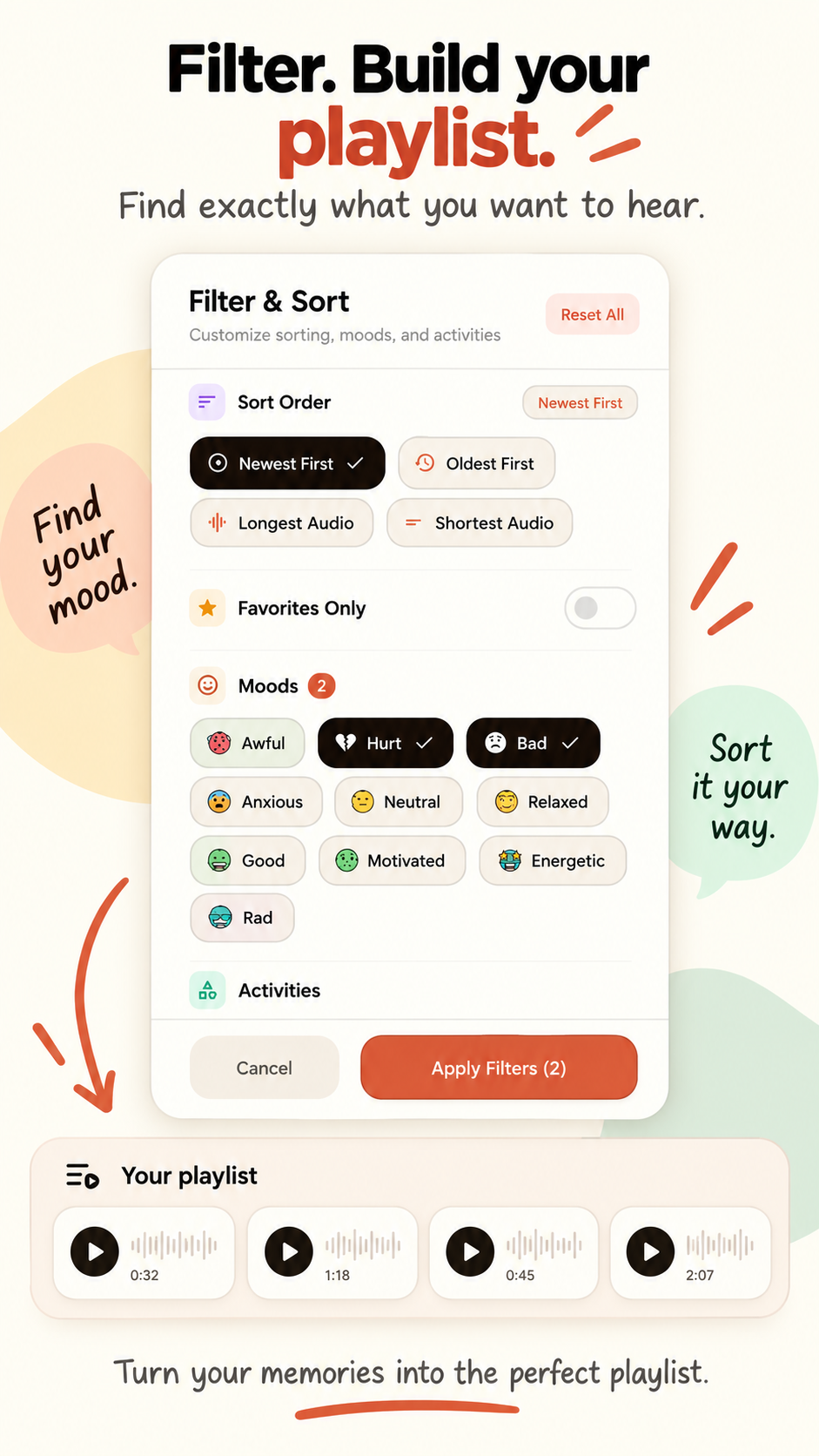
Sort by newest, oldest, longest or shortest audio. Filter by mood, activity or favorites to narrow things down.
-
Insights are searchable too
The people, topics and themes VoiceDiary pulls out of your entries can be searched as well, with fuzzy matching so close spellings and word forms still match.
-
Search runs in the app
Your query is matched against the entries stored on your device, not sent to a server.
-
Every result keeps its audio
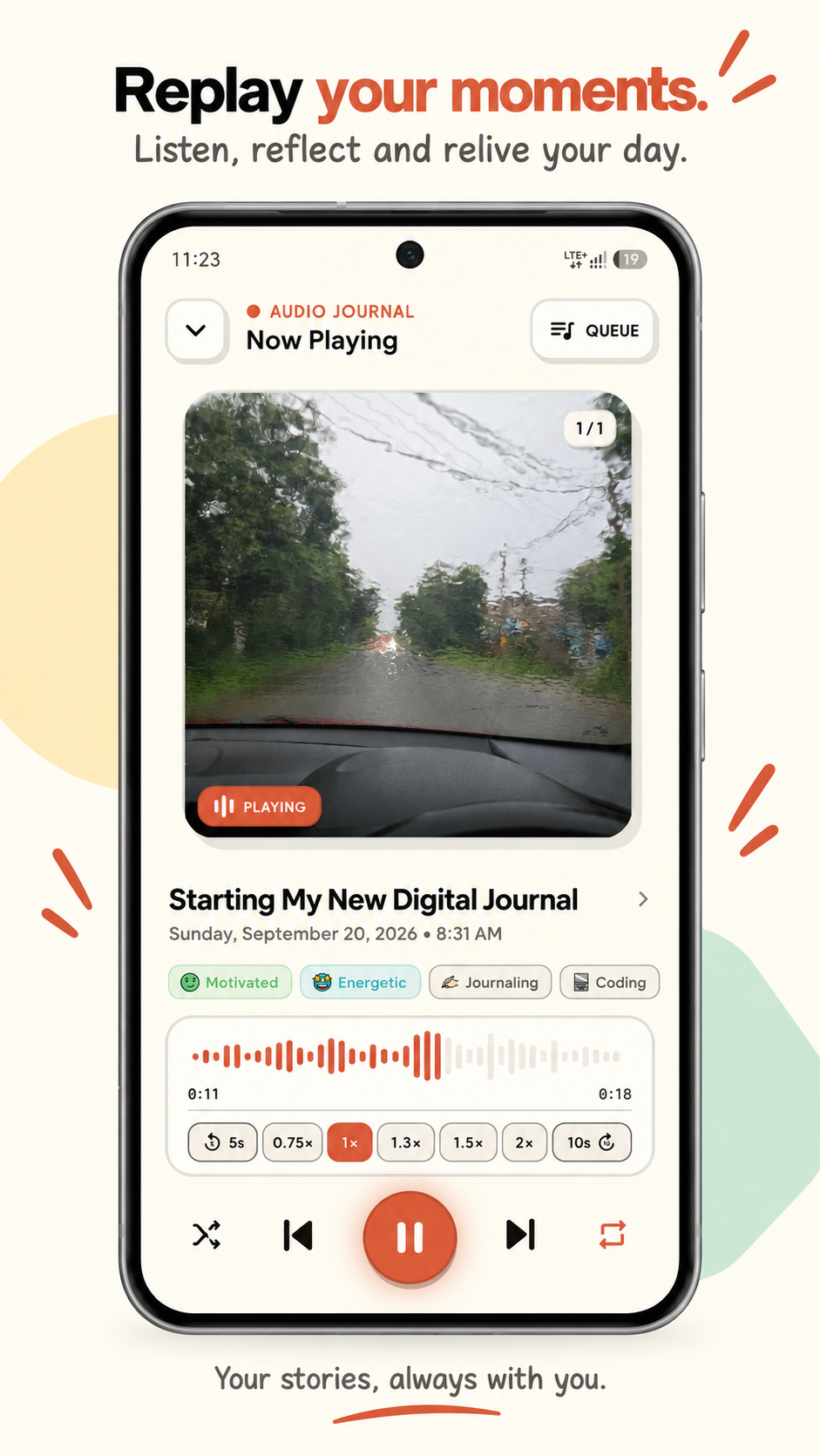
Open a result and play the original recording back at 0.5x to 2.0x, with background and lock-screen controls.
What search can't do
Search matches the transcript text, not the sound of your voice. If the transcription mishears a word, search follows the text. VoiceDiary is Android-only for now; the iOS version is in development.
Looking for a different VoiceDiary?
Several unrelated apps use names like VoiceDiary or Voice Diary. This page is about
VoiceDiary by Abhishek Meher: Android package com.abhishekmeher.ezee,
website voicediary.site. Check that the Google Play address ends in
id=com.abhishekmeher.ezee. It is not affiliated with other apps or products with similar
names.
Searching a voice journal
Yes. VoiceDiary transcribes each recording word for word. Type any word or phrase into the search bar and it shows the entries whose title, text or full transcript contains it.
Search matches the transcript text, not the sound of your voice. VoiceDiary transcribes your speech first, you search that text, and the original recording is kept so you can play the moment back.
Search runs inside the app on the entries stored on your device. To create transcripts, your audio is sent over encrypted connections to third-party AI providers. The Privacy Policy lists what is collected and which providers are involved.
VoiceDiary is on Google Play for Android (package com.abhishekmeher.ezee). The iOS version is in development.